


TheEgit
Version 0.8.0
Graphical Git client for GNOME with colored commit graph, remote operations, blame viewer, and full credential support.
Features
Three-Panel Interface
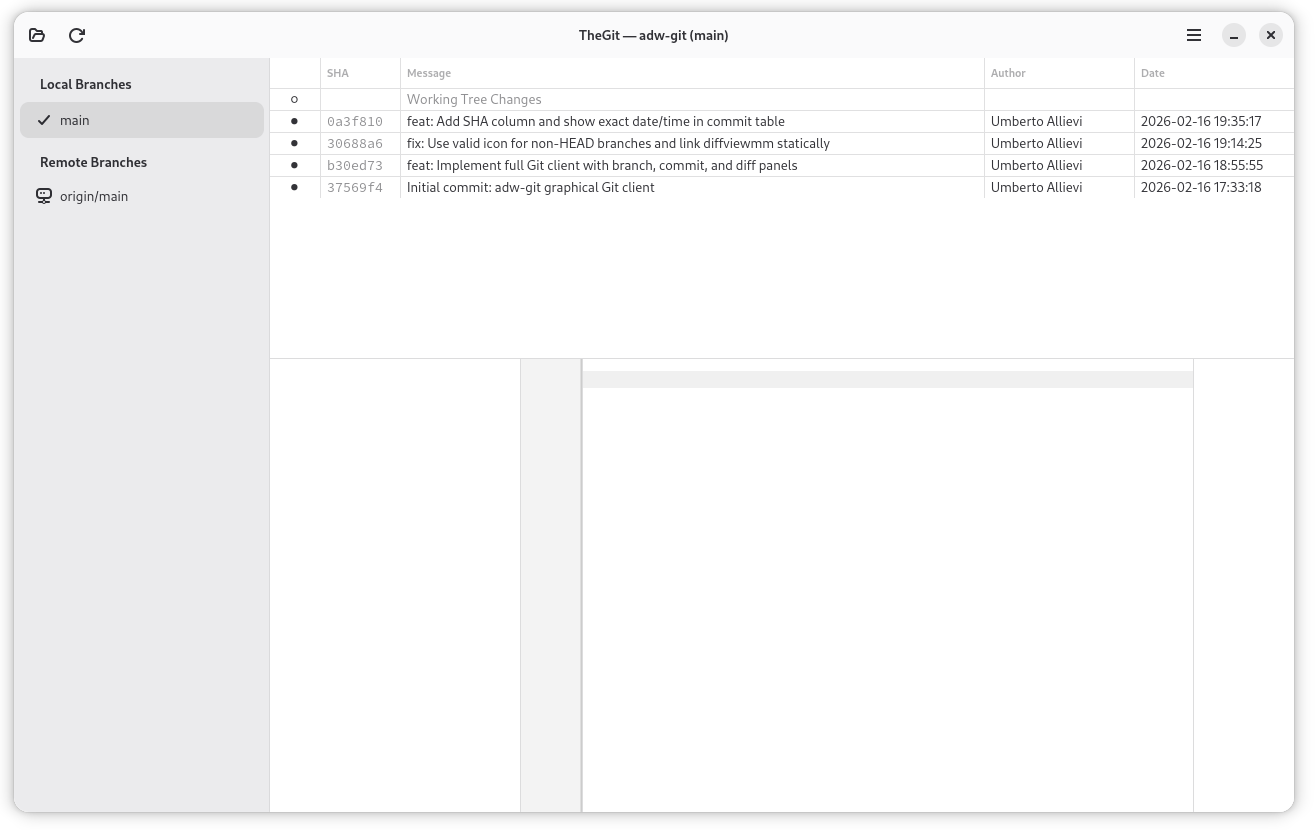
Resizable sidebar with branches and tags, commit history with colored graph, and diff viewer with collapsible file tree — all in a single window with draggable pane separators.
Colored Commit Graph
Gitg-style visual commit graph with Cairo rendering. Color-coded lanes with pass-through, fork-out, and converge-in line types for correct branch topology visualization.
Remote Operations
Push, pull, fetch, force-push, and clone with full credential support — SSH agent, SSH key file, and username/password authentication. Remotes management dialog for adding, removing, and renaming remotes.
Blame Viewer
Line-by-line blame annotations showing author and timestamp for every line of a file.
Stash Management
Stash with custom message, apply, pop, and drop operations — all from the context menu.
Collapsible File Tree
TreeListModel with TreeExpander showing directory hierarchy with folder and file icons. Toggle between modified files and full repository tree at any commit.
Ref Decorations
Colored badges on commits showing branches (with ahead/behind counts), tags (local/remote/both indicators), and HEAD status.
Context Menus
Rich context menus for branches (checkout, rename, merge, delete), commits (cherry-pick, revert, reset, create branch/tag), tags (push, fetch, delete), and stashes.
Syntax-Highlighted Diffs
GtkSourceView-powered diff viewer with automatic language detection for 300+ languages. File status prefixes (M/A/D/R/?) for quick identification.
Repository Discovery
Drag a folder onto the window to recursively scan for Git repositories displayed as a directory tree. Drop a git repo folder directly to open it.
Additional Features
Reflog viewer, file history, amend commit, export patch, Meld integration, and recent repositories list (up to 50 entries).
Use Cases
Daily Git Workflow
Open your project, review working tree changes, stage files, and commit — all without leaving the GNOME desktop. Push to remote with SSH or HTTPS credentials.
Code Review
Browse commit history with the colored graph, select a commit, and review its diffs with syntax highlighting. Use blame to trace line origins.
Branch Management
Create, rename, merge, and delete branches from context menus. View ahead/behind counts relative to upstream. Force-push with protected branch warnings.
Multi-Repository Workspace
Drag a workspace folder to discover all Git repositories inside it. Open any repo from the discovery tree view.
History Investigation
Use file history to see all commits that touched a specific file. Check the reflog to recover lost commits. Inspect blame annotations for line-by-line authorship.
User Manual
Quick Start
- Launch TheEgit from GNOME Activities or terminal (
the-egit) - Click the Open button (folder icon) or press
Ctrl+O - Select a folder containing a Git repository
- Browse branches in the sidebar, commits in the history, and diffs in the viewer
- Select "Working Tree Changes" to see uncommitted modifications
Opening a Repository
There are four ways to open a repository:
- Open button: Click the folder icon or press
Ctrl+O— a custom folder browser with git repo indicators and recursive "Explore" search - Drag and drop: Drop a git repo folder to open it directly. Drop a non-repo folder to discover all git repos inside it
- Clone: Clone a remote repository with the Clone button — supports SSH and HTTPS with credential dialogs
- Recent repositories: On the welcome page, click any repo in the recent list (up to 50 entries, auto-pruned)
Click the Back button to return to the welcome screen from an open repository.
Window Layout
┌──────────┬───────────────────────────────────────┐
│          │   Commit History (colored graph)       │
│ Branches ├───────────────────────────────────────┤
│  & Tags  │   Commit Details + Ref Decorations    │
│ (resize) ├──────────┬────────────────────────────┤
│          │File Tree │   Diff Viewer              │
│          ├──────────┴────────────────────────────┤
│          │   Action Bar (staging / commit)        │
└──────────┴───────────────────────────────────────┘
Left sidebar — Resizable pane with branches and tags. Right-click for context menus (checkout, rename, merge, delete, push/fetch tags).
Top-right — Commit history with colored graph lanes, 10-character SHA, ref decoration badges (branches with ↑N ↓M ahead/behind, tags with local/remote indicators), and relative dates.
Bottom-right — Collapsible file tree (toggle Changes/Files tabs) and syntax-highlighted diff viewer. Resizable commit detail pane with draggable separator.
Commit Details
Select a commit to see:
- SHA: Full 40-character hash (selectable for copying)
- Author: Name and email
- Date: Formatted as
YYYY-MM-DD HH:MM:SS - Message: Full commit message (URLs are clickable)
- Parents: Parent commit OIDs
- Ref decorations: Colored badges for branches, tags, and HEAD
The commit history table shows:
| Column | Description |
|---|---|
| Graph | Colored lanes with branch topology |
| SHA | 10-character abbreviated hash |
| Refs | Colored badges for branches, tags, HEAD |
| Message | First line of commit message |
| Author | Author name |
| Date | Relative timestamp (e.g., "2 hours ago") |
Working with Changes
Select "Working Tree Changes" (first row in commit list) to see uncommitted modifications.
Staging files:
- Per-file: Click the stage/unstage button next to each file
- Stage All / Unstage All: Buttons in the action bar
- Context menu: Right-click a file for stage/unstage options
Committing:
- Select "Working Tree Changes"
- Stage the files you want
- Type a commit message in the text field
- Click Commit
Amend: Edit the previous commit message and contents.
Discarding changes: Right-click a file → Discard Changes to revert to HEAD. This cannot be undone.
Remote Operations
All remote operations support SSH agent, SSH key file, and username/password authentication via credential dialogs.
| Operation | Description |
|---|---|
| Push | Push current branch to upstream remote |
| Pull | Fetch and merge from upstream |
| Fetch | Fetch all remotes |
| Force Push | Force-push with confirmation dialog (warns on main/master) |
| Clone | Clone a remote repository to a local folder |
| Push Tags | Push local tags to remote (branch context menu) |
| Fetch Tags | Fetch tags from remote (branch context menu) |
Remotes management: Add, remove, and rename remotes from the Remotes dialog.
Context Menus
Branch context menu (right-click in sidebar):
| Action | Description |
|---|---|
| Checkout | Switch to this branch |
| Rename | Rename a local branch |
| Merge into current | Merge this branch into HEAD |
| Delete | Delete local branch |
| Create local branch | From a remote branch |
| Push/Fetch tags | Tag operations on remote |
Commit context menu (right-click in history):
| Action | Description |
|---|---|
| Copy SHA | Copy full commit hash |
| Cherry-pick | Apply commit to current branch |
| Revert | Create a revert commit |
| Reset (soft/mixed/hard) | Reset HEAD to this commit |
| Create branch | Create a new branch at this commit |
| Create tag | Create a tag at this commit |
| Export patch | Save as a patch file |
File context menu (right-click in file list):
| Action | Description |
|---|---|
| Open in Editor | Open with default application |
| Stage / Unstage | Stage or unstage the file |
| Discard Changes | Revert to HEAD |
| Compare with Meld | External side-by-side diff |
| File History | View commits that touched this file |
| Blame | Line-by-line blame annotations |
Keyboard Shortcuts
| Shortcut | Action |
|---|---|
Ctrl+O | Open repository |
F5 | Refresh (preserves selected commit or working tree view) |
Configuration
Recent repositories stored in:
~/.config/the-egit/recent-repos.conf
- Up to 50 repositories remembered
- Most recently opened first
- Non-existent repositories removed automatically
- Remove entries from the welcome page with the
xbutton
Tips
- Quick navigation: Use the sidebar to jump between branches — history updates instantly
- Copy SHA: Click the full SHA in commit details to select it, then
Ctrl+C - External diff: Use "Compare with Meld" from the context menu
- Files tab: Click any file in the Files tab to view its content (blob viewer) at that specific commit
- Large repositories: Commit log limited to 500 entries per branch for performance
- Refresh: Press
F5after making changes outside TheEgit (e.g., from the command line) - Protected branches: Force-push to main/master shows a confirmation warning