


TheSwiper
Version 0.1.0
Lightweight file viewer for images, PDFs, and SVGs, built with GTK4 and libadwaita.
Features
Multi-Format Support
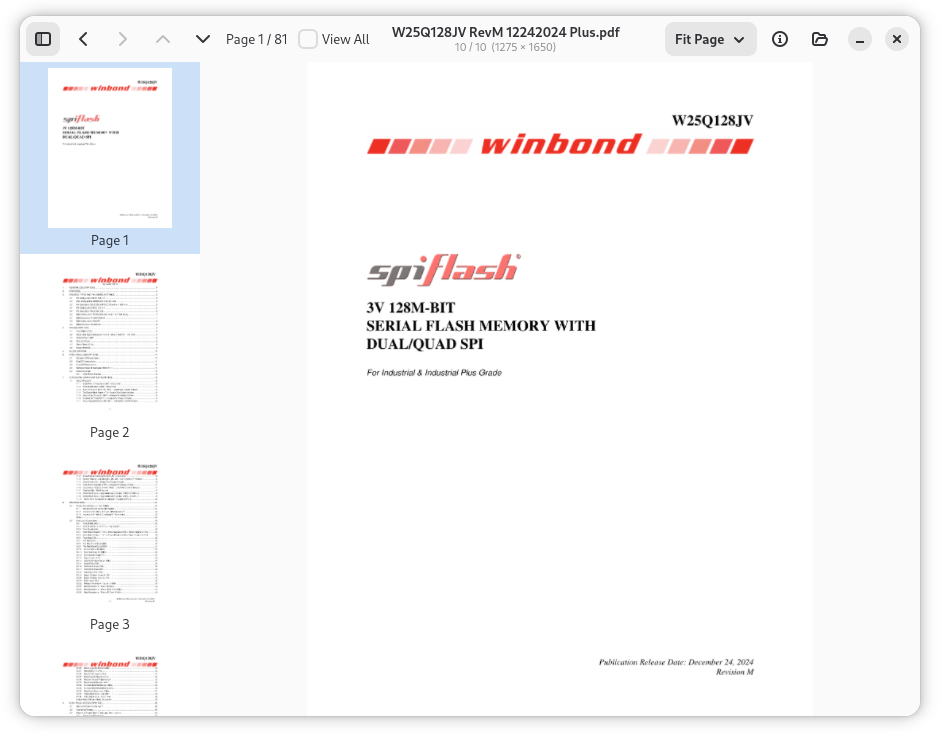
View PDF documents, SVG graphics, and raster images — PNG, JPEG, GIF, BMP, TIFF, WebP, ICO, and XPM. All rendered natively without external viewers.
Folder Swiping
Navigate through all supported files in a folder using Left/Right arrow keys. Fast visual browsing without a file manager.
Multi-Page PDF Navigation
Page Up/Page Down keys navigate pages within PDF documents. Page indicator shows current position.
Zoom Controls
Six predefined zoom levels — Fit Page, Fit Width, Fit Height, 50%, 100%, 200%. Accessible via dropdown menu in the toolbar.
Flexible Launch
Open with a file (starts navigating its folder), a folder (opens first file), or no arguments (shows file chooser). Drag-and-drop support.
Use Cases
Quick Image Review
Browse through a folder of screenshots, photos, or design assets using arrow keys — faster than opening each file individually.
PDF Browsing
Quickly flip through PDF documents in a directory. Multi-page navigation and zoom controls make it easy to review document collections.
Design Asset Preview
Swipe through SVG icons, UI mockups, and image assets in a project folder. Native rendering ensures accurate display.
User Manual
Keyboard Shortcuts
| Shortcut | Action |
|---|---|
Left | Previous file in folder |
Right | Next file in folder |
Page Up | Previous page (PDF) |
Page Down | Next page (PDF) |
Ctrl+O | Open file dialog |